Skip to content

The future of planning is here

Palette AI revolutionizes how you plan, design and present your work. Advanced AI features automate tasks that used to be manual and slow, converting them into seamless, rapid workflows. Tasks that once took hours are now completed in seconds – unlocking efficiency, creativity and valuable time for design. 

And this is just the start: Palette AI keeps advancing, offering ever-smarter features that make your daily work smoother, quicker and more inspiring.

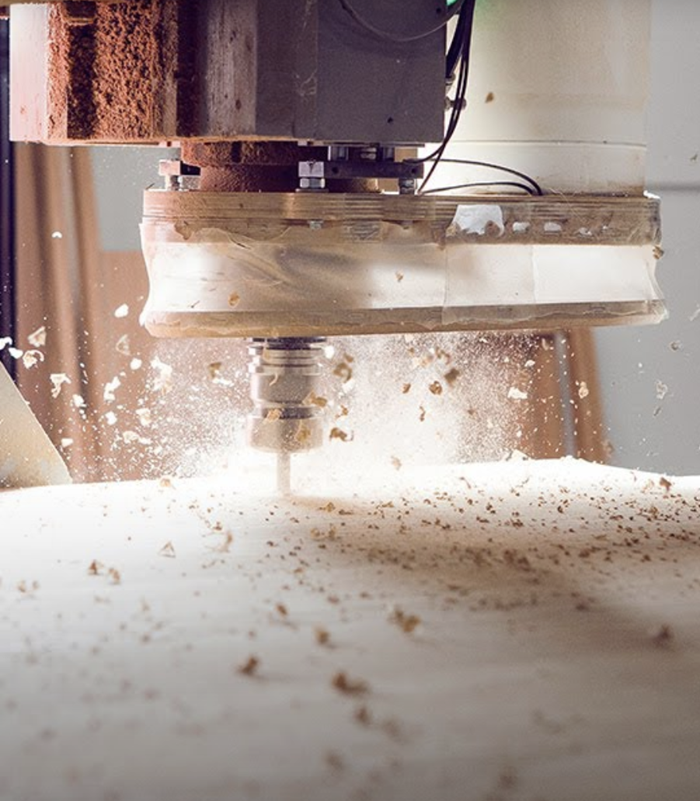
Seam­less­ly trans­fer 3D de­sign da­ta to the CNC ma­chi­ne

Make the da­ta you ge­ne­ra­te go fur­ther wi­th Palette CAM, the in­ter­face bet­ween de­sig­ning and ma­nu­fac­tu­ring which makes da­ta trans­fer ea­sier than you think by trans­fer­ring the full CAD da­ta from your dra­wing straight to the CNC ma­chi­ne. Whe­ther you’re a car­pen­ter, joi­ner or shop fit­ter, the Palette CAM soft­ware add-on makes your ma­nu­fac­tu­ring se­quen­ces run smooth­ly from start to fi­nish. From your desk to the work­shop, Palette CAM is the lo­gi­cal so­lu­ti­on that lets you get on wi­th the job you love.

1) Set up the CNC ma­chi­ne

Our sup­port team is on hand and can help you con­nect your        ma­chi­nes in per­son or re­mo­te­ly. On­ce the ma­chi­nes are con­nec­ted, Palette CAM is the ea­sy, con­ve­ni­ent way to con­trol your CNC ma­chi­ne.

Our platform caters to every aspect of the design journey, ensuring complete accuracy and seamless data transfer to CNC machines for flawless execution.

CAM video woodwork

2) Ge­ne­ra­te & trans­fer da­ta

Palette CAM “trans­la­tes” your de­sign sket­ches in­to CNC da­ta, en­su­ring ac­cu­ra­cy, eli­mi­na­ting er­rors and pro­vi­ding da­ta com­pa­ti­bi­li­ty   wi­th all work­shop pro­grams on the mar­ket.

This me­ans no mo­re en­te­ring da­ta twice, which sa­ves you va­luable time and helps you avo­id an­noy­ing trans­fer er­rors.

2d planning palette cad software furniture design woodwork

3) Crea­te com­pon­ents

Your CNC ma­chi­ne is now re­a­dy to go, and the in­di­vi­du­al com­pon­ents will be ma­nu­fac­tu­red to your exact de­sign.

If you’d li­ke to find out how you can op­ti­mi­se your work­flows in your busi­ness, get in touch wi­th us to­day.

3d planning palette cad software furniture design woodwork photorealistic rendering

AI Magic Touch

Evocative presentations without extra effort

You’ve finished your design in Palette CAD – a kitchen, bathroom, or loft conversion – and want to set the scene compellingly without investing additional time?

With AI Magic Touch, a simple rendering becomes a sales presentation that creates ambience within seconds – automatically enhanced with decoration, lighting and materials. We’ve shaped the Google DeepMind‑based technology to ensure it’s simple and easy for you to work with.

The result: not only impressive professional-quality images, but also hours of planning time saved. 

AI Magic Touch will be available soon.

AI Floor Plan

From floor plan to a 3D space in minutes

It’s a common situation: your client shows you a printed floor plan – maybe from a property listing or their tenancy agreement. Or you receive a PDF plan directly from the architect.

With AI Floor Plan, you can turn these plans into a true-to-scale 3D view in no time. Manual tracing becomes unnecessary – saving you a huge amount of time and allowing you to start the actual planning right away. Of course, you can adjust every detail of the plan in Palette CAD at any time. This way, you move from floor plan to a striking room visualisation in record time.

You can now use AI Floor Plan directly in Palette CAD.

AI Material Finder

Perfect material in an instant

Your client has a specific material or pattern in mind – but you’re not sure where to find it in Palette CAD? No problem: with AI Material Finder, long searches are a thing of the past.

Within seconds, the AI analyses the reference image and shows you all matching surfaces available in Palette CAD that come closest to the desired look. This way, you find the ideal counterpart quickly – without endlessly paging through catalogues.

You can now use AI Material Finder directly in Palette CAD.

Palette CAM for ea­sier, op­ti­mi­sed wood­wor­king

The Palette CAM soft­ware makes wood­wor­king ea­sier and mo­re ef­fi­ci­ent:

Hand in hand wi­th Palette CAD, this cle­ver add-on helps your ma­nu­fac­tu­ring pro­cess run mo­re smooth­ly.

  • In­tui­ti­ve to use
  • Sui­ta­ble for any ma­chi­ne en­vi­ron­ment
  • Prepa­re and pro­cess com­pon­ents
  • Use wi­th pro­grams op­ti­mi­sed for work­shops
  • Trans­fer da­ta to spe­cia­list pro­grams such as NC-HOPS or NCAD
  • En­su­re con­tours, ho­les, groo­ves & cuts are ma­de exact­ly as de­si­gned
Rendering
Planning

Designed with Palette CAD

Make the most of every pro­ject!

Our aim is to make your job a smooth pro­cess from start to fi­nish, from the in­iti­al idea to the fi­nis­hed pro­duct. So Palette CAM is on­ly available in con­junc­tion wi­th our co­re Palette CAD soft­ware.

If you’d li­ke to find out how you can op­ti­mi­se your work­flows in your busi­ness, get in touch wi­th us to­day.

You’re a Palette CAD customer already with an active service contract?

You will automatically receive all new features with regular updates. AI Floor Plan and AI Material Finder are already available with the latest update, and AI Magic Touch will be available soon.

The videos above show you exactly where to find the new functions in the software.

Why choose Palette CAD?

More Time

Use ob­ject li­bra­ri­es and crea­te stan­dard ob­jects wi­th in­tel­li­gent pro­per­ties and va­ria­bles to de­sign fas­ter and mo­re ef­fi­ci­ent­ly. And we au­to­ma­ti­cal­ly up­date all ma­nu­fac­tu­rer ca­ta­lo­gues so you al­ways have ac­cess to the la­test pro­ducts.

More Sta­te-of-the-Art

A hand-held la­ser and ta­blet make it ea­sy to ta­ke me­a­su­re­ments at your cli­ent’s home or site. Thanks to the Palette Cloud, mobile working is possible without any problems, and you can showcase your designs via mobile devices with Palette Move.

More Suc­cess

Even though you can use our wood tech­no­lo­gy so­lu­ti­on and con­fi­gu­ra­tors to op­ti­mi­se your pro­cess, your work stays un­ques­tionab­ly uni­que. You can set re­cur­ring ru­les in the CAM post-pro­ces­sor to in­crease your ca­pa­ci­ty uti­li­sa­ti­on.

Which software package is best for you?

If you are already familiar with the software, then define one of the following package to get more info about it from our experts.

Start

Get Started

The basic package to get you started with 3D designing.

Palette CAD 3D
1 Industry Catalogue
Simple Photo-Realistic


Small Business

Extensive Planning

With various options to suit your individual needs at affordable price.

Palette CAD 3D
3 Industry Catalogues
3D Import & Export
High-End Photo-Realistic
 
 
Recommended

Enterprise

The All-inclusive Package

Enjoy maximum flexibility with multiple licences.

Palette CAD 3D
2 Licences
All Available Industry Catalogues
3D Import & Export
High-End Photo-Realistic
Perfect For Collaboration

Which software package is best for you?

If you are already familiar with the software, then define one of the following package to get more info about it from our experts.

Start

Get Started

The basic package to get you started with 3D designing.

Palette CAD 3D
1 Industry Catalogue
Simple Photo-Realistic


Small Business

Extensive Planning

With various options to suit your individual needs at affordable price.

Palette CAD 3D
3 Industry Catalogues
3D Import & Export
High-End Photo-Realistic
 
 
Recommended

Enterprise

The All-inclusive Package

Enjoy maximum flexibility with multiple licences.

Palette CAD 3D
2 Licences
All Available Industry Catalogues
3D Import & Export
High-End Photo-Realistic
Perfect For Collaboration

Contact us

Anish contact us Palette cad India

Anish Chidgupkar

enquiries@palettecad.in

Our team have comprehensive
wood-working expertise and are on hand to answer questions about your furniture design software. Get in touch with us!

Contact us

Meenakshi Sudhakar

enquiries@palettecad.in

Our team have comprehensive
wood-working expertise and are on hand to answer questions about your furniture design software. Get in touch with us!

Contact us

Meenakshi Sudhakar

enquiries@palettecad.in

Our team have comprehensive
wood-working expertise and are on hand to answer questions about your furniture design software. Get in touch with us!

Contact us

Meenakshi Sudhakar

enquiries@palettecad.in

Our team have comprehensive
wood-working expertise and are on hand to answer questions about your furniture design software. Get in touch with us!

Trusted by industry partners of Palette CAD